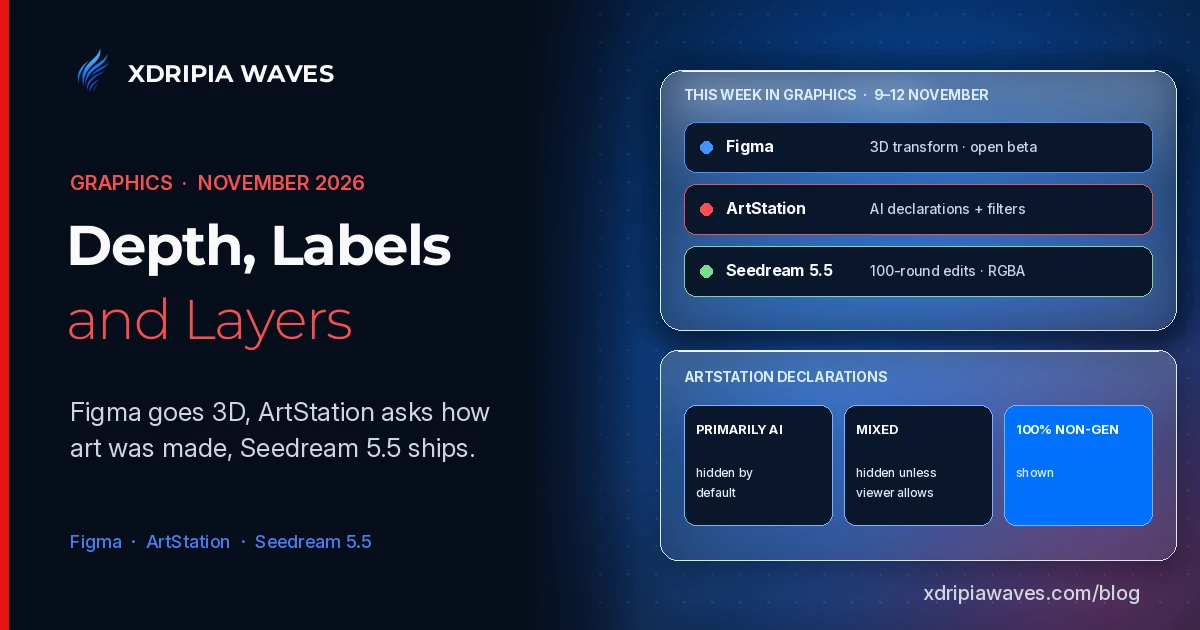
In our last Graphics edition we went through Adobe MAX, Blender 5.3 and Figma's new Motion springs. The days since have brought three more updates that matter to people who make images for a living: Figma added a native 3D effect to its canvas, ArtStation asked every creator to declare how a project was made, and ByteDance's Seed team released Seedream 5.5, an image model pitched at long editing sessions and transparent assets. One is a tool, one is a platform rule and one is a model, and together they show where the pressure points are.
Figma: 3D transforms in open beta
Figma's release notes for 12 November introduce 3D transform, a new effect that rotates objects along the x, y and z axes with on-canvas handles and live previews. A companion Figma blog post by Chad Colby, Director of Motion Design, explains how it works in practice:
- The effect applies to text, images, vectors, frames and components. Adding a perspective effect to a parent frame turns its children into one shared spatial composition.
- It is non-destructive: the original artwork stays editable underneath, and the effects can be hidden or removed at any time.
- It combines with other Figma effects, such as shaders, and can be animated with Figma Motion.
- For handoff, Dev Mode exposes the exact CSS transform of a 3D layer, including depth and rotation on every axis, and coding agents can read and create 3D designs through the Figma MCP server.
3D transforms are in open beta for all Full seat users. The same post states that the Figma agent is now generally available.
How Figma's own team used it
The blog post is a useful case study because it describes the work rather than the feature list. A brand designer placed one word, repeated and staggered, along the Z axis and asked the agent to handle the spacing. In her words: "The agent did math, and I did the creative stuff." A motion designer had the agent build a generative plugin that arranges cards in a grid, helix, ring or random scatter, then replaced the placeholders with photography and graphic elements. Because the scenes were built from components, colours and gradients could still be changed after animation.
Smaller releases from the same week
Figma also shipped a click-to-select option for its Select area image tool on 6 November, so an object in an image can be isolated or erased without tracing around it. It is available in the macOS desktop app only.
ArtStation: declare it, filter it, report it
On 9 November ArtStation published the second phase of its generative AI controls, following the September changes that made the NoAI tag the default and blocked known AI crawlers through Cloudflare. The new phase has three parts.
Declarations. When publishing or editing a project, creators must answer whether a generative AI program was used, choosing one of three options: primarily generative AI, mixed generative AI and non-generative methods, or 100% non-generative.
Filters. Viewers choose whether to hide declared AI work, allow mixed work, or show everything. According to ArtStation's help centre article, the default hides all work declared as generative AI, whether primarily AI or mixed, plus work tagged Created with AI. The filters apply across Community, Trending, Latest, Following, Artwork Search, Channels and Search.
Reports. Unlabelled work can be reported as "Potentially AI Slop". A tolerance slider, set to Strict by default, controls how much suspected work is hidden based on reports and other signals.
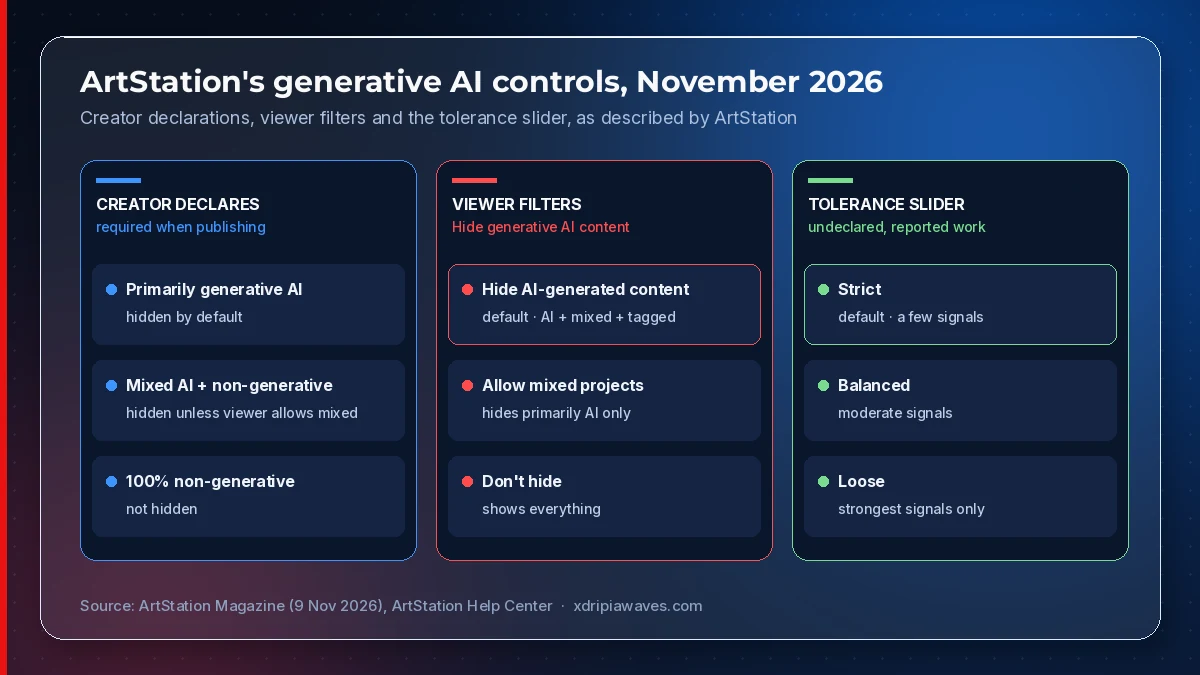
Source: ArtStation Magazine (9 November 2026) and ArtStation Help Center.
The safeguards for artists
The help centre is explicit on two points that working artists will care about. A report alone does not label, remove or penalise a project, and no single signal decides what is hidden. The assessments are also never shown publicly: artwork is not labelled as suspected AI and profiles are not marked. ArtStation's advice for creators who think they are being filtered by mistake is to share a breakdown of their process.
Seedream 5.5: editing that holds over many rounds
ByteDance's Seed team introduced Seedream 5.5 on 9 November. The announcement focuses on three upgrades:
- Multi-turn editing that preserves unedited regions at the pixel level and avoids colour shifts, which the team demonstrates across 100 successive edits of the same image.
- Native RGBA output, generating images with full or partial transparency so elements can go into layouts and composites without separate background removal.
- Realism and text rendering, with fewer overexposed or glossy surfaces and more accurate small text.
The figures in the post come from ByteDance's own evaluations on its MagicArena platform. It reports a severe text corruption rate of 0.4% and a minor rate of 1.7% for Chinese and English text, and says usability rates in film and television and in office productivity were more than twice those of Seedream 5.0 Pro. These are vendor results, not independent tests. The team adds that a Pro version of the 5.5 series will follow.
What this means for visual creators
The three updates point at the same question from different sides: who made this, and how much of it can still be changed?
- Figma keeps the source artwork editable under a 3D effect and maps the result straight to CSS, so the design file stays the reference.
- ArtStation puts the answer to "how was this made" on the creator, with filters on by default and reports kept private.
- Seedream 5.5 aims at the production complaint that generated images degrade with each edit and arrive with a background attached.
For illustrators who post on ArtStation, the practical step is to fill in the declaration accurately and keep process breakdowns with each project. For design teams, Figma's 3D transforms are worth testing in a branch file while the feature is in beta, and any claims about Seedream 5.5's text accuracy are worth checking against your own prompts before it goes near client work.