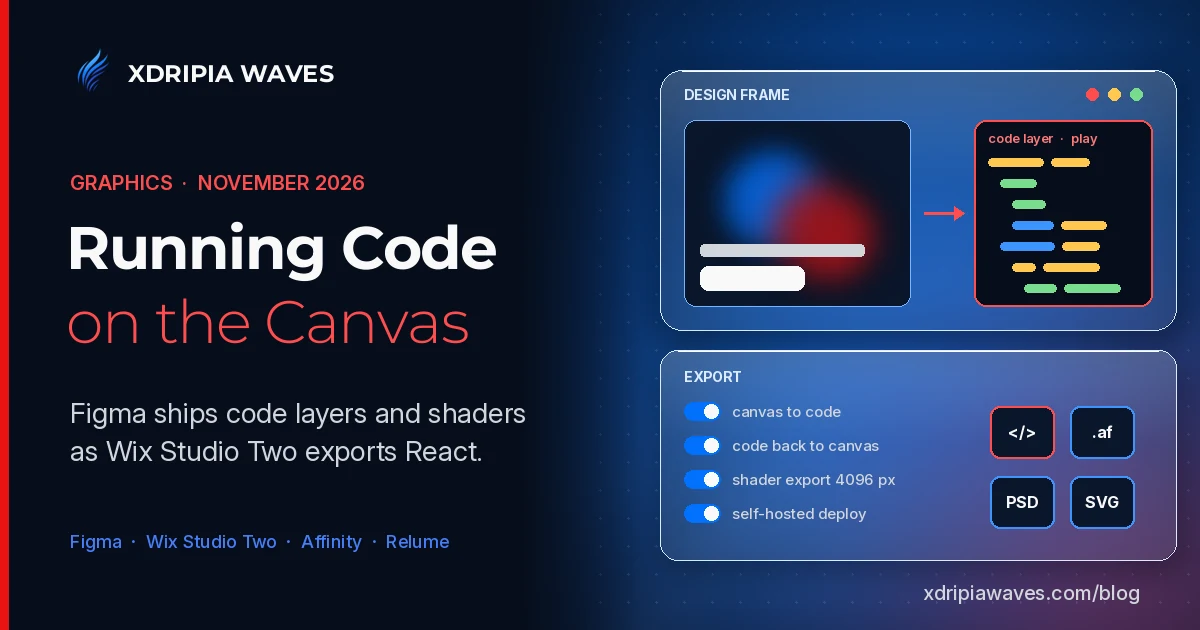
In our last Graphics column three projects took different positions on generative AI inside graphics software. This week the more useful story is structural. Two of the largest canvas tools now let a design hold running code, one creative suite widened the devices it runs on, and an image tool tried to fix the drift that makes AI visuals hard to use across a campaign.
For artists, labels and promoters, the practical link is the website. The artist page, the release microsite and the tour landing page are where cover art, motion and layout end up, and they are increasingly built in the same place they are designed.
Figma: code layers and shaders on the canvas
At Config India on October 15, Figma moved code layers into open beta. A code layer is an interactive prototype backed by running code that sits directly on the canvas, next to the static frames it came from.
Four ways in
According to Figma's help documentation, a code layer can start from:
- A design frame, selected on the canvas and turned into code by prompting the agent.
- A GitHub repository, cloned so the prototype builds on an existing front end.
- A live webpage, captured with the Figma Chrome extension.
- An empty layer, built from a prompt.
Figma says code layers use AI credits during the beta, with creating and editing free on paid plans through November 4, 2026. Teams testing the feature on a paid plan have one more day before it starts drawing on credits. The rollout is gradual, so some accounts may not see the Code icon yet.
Shaders become a general feature
On November 2 Figma made shaders generally available to all users. Shaders can now render and export at up to 4096 px, and they can be included when a design is turned into a code layer. That last part currently requires the browser: Figma lists Chrome version 157, and its help page says shaders in code layers are not supported in the desktop app or in other Chromium browsers, and need an experimental Chrome flag enabled.
For visual work this matters more than it sounds. Blurs, glassy distortions and animated effects have usually been approximated in a static mockup and rebuilt by a developer. With shaders inside a code layer, the effect can be reviewed in its running form.
The surrounding releases
The same two weeks of release notes show the rest of the direction:
- October 26: image and video models from Figma Weave became accessible to external AI agents through the Figma MCP, consuming Weave credits.
- October 27: generative plugins and shaders gained version history, with agent-written change descriptions.
- October 30: a Google Drive connector for the Figma agent on all plans, and internal publishing of Weave tools for Organization and Enterprise customers.
Wix Studio Two: canvas, AI and React in one editor
On November 2 Wix introduced Wix Studio Two, which it describes as its most advanced editor. It combines three ways of working: generating with AI, designing by hand on an infinite canvas, and editing a standard React code layer for custom components and logic.
The points that stand out for professional use:
- Export and return: a project can be exported as a standard React project, edited in tools such as Claude, Codex, Cursor or any IDE, and brought back into Studio Two.
- Self-hosting option: an exported site can be deployed in a client's own environment instead of on Wix.
- Aria 2.0: the updated Wix agent generates and refines designs, writes components and logic, and applies saved standards through a feature called Skills.
- Scope: Wix lists around 60 major new features, including animations, variables, site styles and a browser-based VS Code environment.
Studio Two is rolling out to Wix Partners first, with a gradual rollout to all users. The export claim is the one to test before relying on it: a React project that round-trips cleanly between a visual editor and an IDE would reduce lock-in for small studios that build artist sites.
Affinity: iPad now, Linux in development
Affinity's iPad app, which we noted last week as announced, is now available. Affinity says it combines vector design, photo editing, page layout and sketching in one app, opens PSD, AI, INDD, IDML, PDF and SVG files, and is free for individuals. The AI features sit in Canva AI Studio, which requires a Canva premium plan, and Affinity states that local Affinity files are not used to train AI features.
On November 3 The Verge reported that Affinity said on X a Linux version is "in active development". No launch date was given. For Linux users, the professional options for layout and vector work have long been limited, so this is worth tracking, but there is nothing to install yet.
Relume Studio: fixing image drift
Also on November 3, Relume launched Relume Studio in beta on its Pro plans. The tool is built around three fixed references: Styles lock the look, Characters lock the people and Scenes lock the place. Each image is generated against those references rather than against the previous output.
The problem Relume names is real: a series of generated images tends to drift in faces, settings and tone. Whether locked references hold across dozens of images is something to check on actual campaign work, not on a launch demo.
What to watch
The dates that follow from this week's news:
- November 4: end of Figma's free period for code layers on paid plans.
- November 10 to 12: Adobe MAX 2026, where Adobe's own canvas and agent plans for Photoshop, Illustrator and InDesign will be on stage.
- Wix Studio Two rollout beyond Partners, with no public date yet.
- Affinity for Linux, in development with no date.
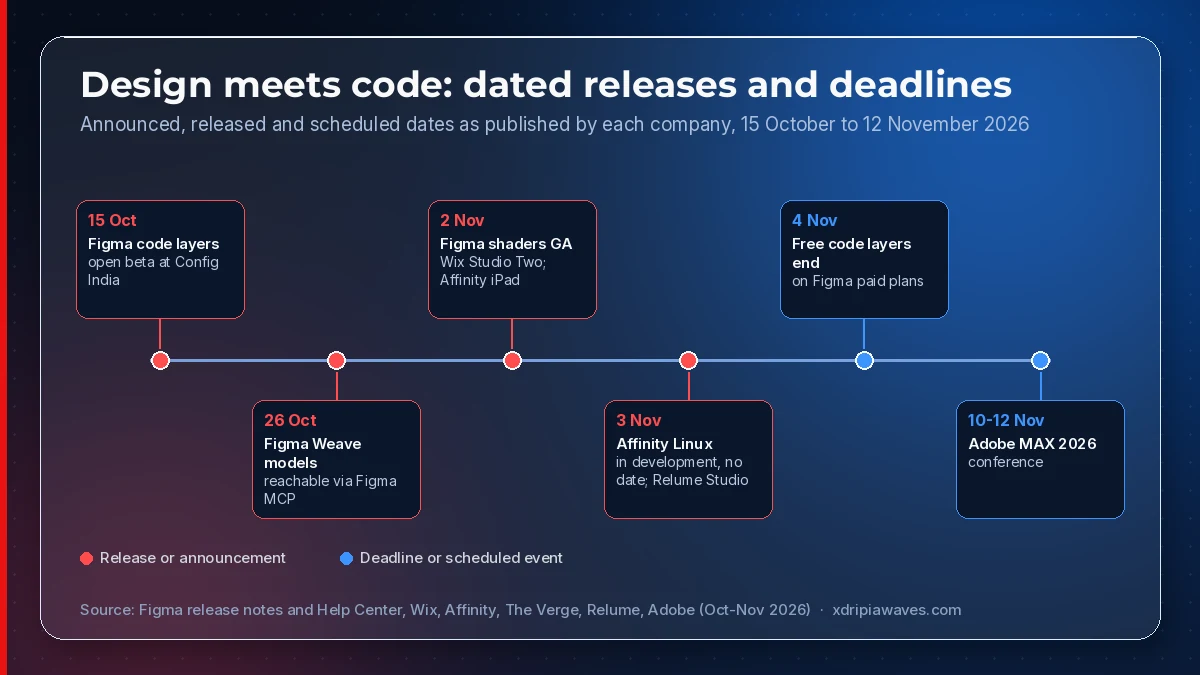
Dates as published by Figma (release notes and Help Center), Wix, Affinity, Relume and Adobe; the Affinity for Linux item is as reported by The Verge on 3 November 2026.
The common thread is that a design file is no longer only a picture of the finished product. In Figma and Wix it can now contain the working version. The open question for designers is who keeps control of that code once it leaves the canvas, and both companies are pointing to exports and repositories as their answer.